
Driver assistance features can warn you about a developing hazard or help with a particular driving task. They work best when you understand what each feature does, how it communicates, and when it may be unavailable. Familiar controls do not mean identical behavior across different vehicles or model years.
Begin with your vehicle’s handbook and a parked walkthrough of its settings. Learn the features you actually have rather than relying on advertising names or advice for a different car. The purpose is to support attentive driving, not to create a reason to look away from the road.
Separate warnings from interventions
A warning tells you about a possible problem. An intervention can change braking, steering, or another vehicle function within its operating limits. The distinction matters because a warning feature may never take corrective action, even when its name sounds similar to a feature that can.
Learn the basic families
Forward-collision warning alerts the driver to a potential collision ahead. Automatic emergency braking can apply braking in certain situations. Lane-departure warning signals unintended lane movement, while lane-keeping assistance may provide steering input. NHTSA’s driver technology overview explains these categories and their different roles.
Write down the manufacturer’s name for each fitted feature alongside a plain-language description. “Warns about traffic approaching from the side while reversing” is easier to remember than an unfamiliar abbreviation. If the description is uncertain, ask the dealer to demonstrate the controls while the vehicle is safely parked.
Learn how the car shows its current status
A feature can be available without being active. It may also be selected but temporarily unable to operate. Find the dashboard symbols and messages that distinguish these states. Knowing the activation button is only part of knowing how to use a system.
Practice the controls while stationary
Locate the relevant menu, sensitivity settings, and cancellation controls using the handbook. Do not alter unfamiliar settings in moving traffic. If you share the car, discuss which preferences are stored in a driver profile and which may affect the next person who drives.

Confirm what a warning actually says
Do not dismiss “unavailable” as a routine notification without reading it. Find out whether the message describes operating conditions or a fault needing attention. Our guide to dashboard messages and warning lights explains how to record an alert and distinguish information from a request for action.
Keep your driving responsibilities clear
Assistance does not remove the need to observe traffic, choose an appropriate speed, maintain space, and respond to hazards. A system that can help steer or control speed is not permission to use a phone, eat a meal, or stop monitoring the road.
Understand the attention requirement
The Insurance Institute for Highway Safety’s information on advanced driver assistance discusses partial automation and driver safeguards. Read your own system’s instructions for the attention and supervision it requires. A hands-free capability, where provided, does not automatically mean an eyes-off capability.
Do not test automatic braking by deliberately approaching a person, object, or vehicle. Do not manufacture a lane departure to discover the point at which assistance activates. Ask for a proper explanation or manufacturer-approved demonstration instead. An everyday road is not a controlled test environment, and a successful intervention once does not establish future performance.
Recognize conditions that can change performance
Cameras and other sensors need suitable conditions for the tasks they perform. Your handbook may describe limits involving visibility, road markings, curves, obstructions, or particular traffic situations. Learn the limits of your actual equipment instead of assuming every sensor behaves the same way.
Check the areas the manufacturer identifies
Keep relevant glass and sensor areas clean according to the manufacturer’s directions. Avoid covering them with stickers, accessories, or unsuitable cleaning products. If a message appears after bad weather, inspect only the areas the handbook tells you to check and seek help if the warning persists.
Low visibility still calls for a driving decision, not simply a settings adjustment. Our fog-driving preparation guide covers the wider situation. If you cannot see well enough to travel safely, assistance technology is not a substitute for delaying the journey or finding a safe place to stop.
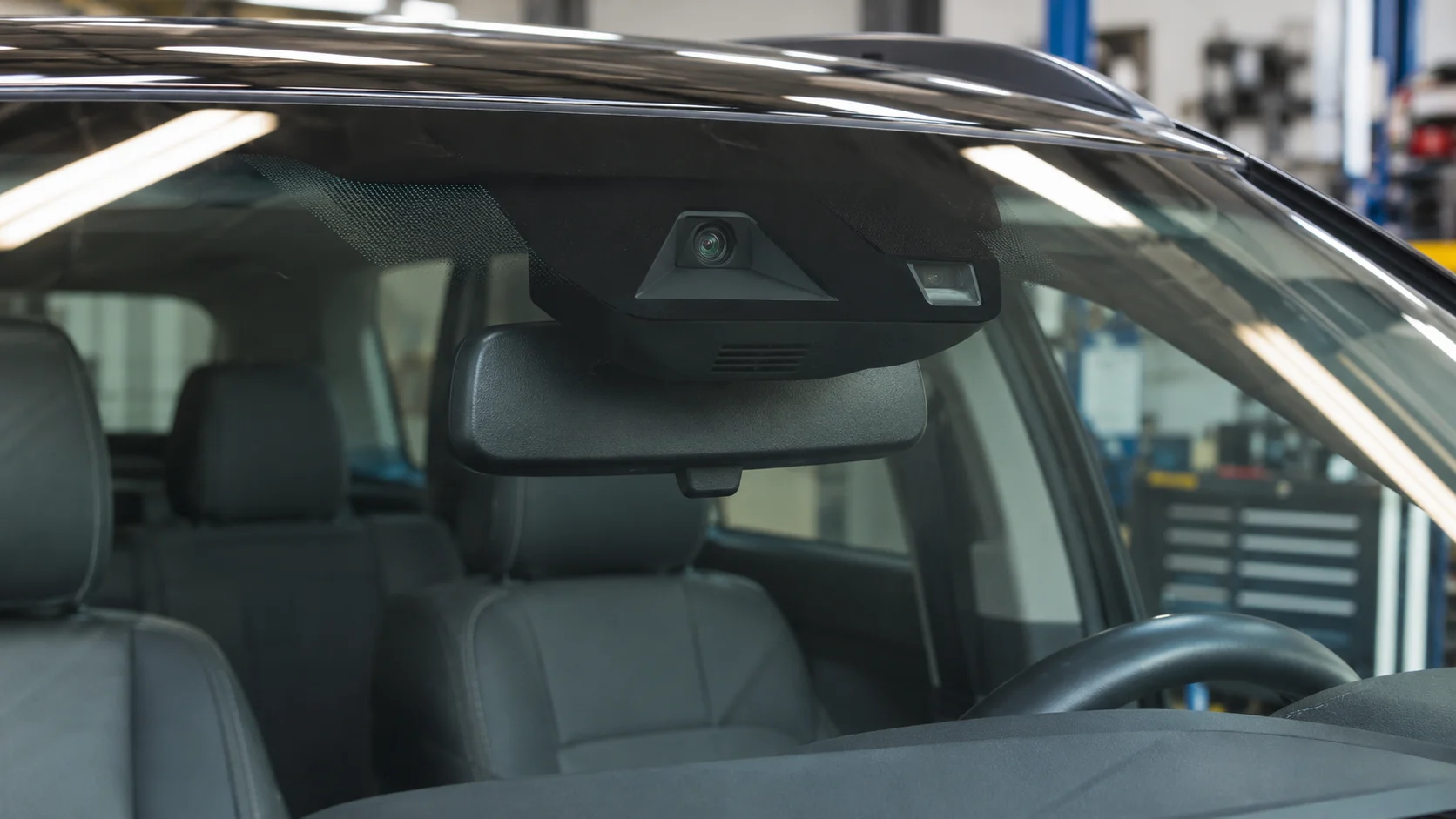
Ask the right questions after repair or an update
Work involving a windshield, body panel, suspension, alignment, or sensor area can raise questions about the vehicle’s assistance systems. Ask the repairer whether the manufacturer’s procedures require calibration, inspection, or another check for the work performed. The answer depends on the vehicle and repair.
Keep the relevant records
Request documentation of any required procedures and retain it with the invoice. If an assistance warning appears afterward, report it promptly rather than assuming it will settle down. Our article on ADAS calibration after windshield replacement explores a common example of this issue.
Software updates can also change menus or documented behavior. Read the release notes and review the affected settings while parked. Use the manufacturer’s instructions if something works differently. Do not assume an update added a capability that the release notes do not describe or that a similar-looking vehicle has.
Build a simple handover habit
Before another person drives your car, explain the unfamiliar features and where to find their controls. A short parked conversation can cover the status indicators, how to cancel assistance, and any unresolved warning. Avoid giving a rushed tutorial while that person is already joining traffic.
When renting or borrowing a vehicle, allow the same preparation time for yourself. Locate basic controls first, then decide which optional assistance features you understand well enough to use. There is no benefit in activating a system whose alerts or cancellation procedure you cannot identify.
Keep a short feature note with the handbook: what the system does, how it shows activation, and where its limits are explained. Revisit that note after changing vehicles. Even within one brand, the same label can refer to equipment with different controls or operating conditions. A familiar badge should never replace a fresh introduction to the car.
Confidence comes from knowing what the feature contributes and what remains your job. Keep the handbook accessible, revisit settings after relevant changes, and pay attention to status messages. The most useful assistance feature is one you understand well enough to use appropriately while continuing to drive attentively.